How to Choose the Best Multi-output Mini UPS for Your Needs?
In today’s fast-paced digital world, the demand for reliable power solutions has surged. With the rise in electronic devices, a dependable energy source is essential. Multi-output Mini UPS systems play a crucial role in providing uninterrupted power to multiple devices. According to a recent market report by Globalscape Research, the Mini UPS market is expected to grow by 15% annually, highlighting the increasing reliance on power continuity in various sectors.
Experts emphasize the importance of choosing the right Mini UPS. Dr. Sarah Liu, a power management specialist, states, "Selecting a Multi-output Mini UPS involves understanding your specific power needs." This quote underscores the complexity of making an informed choice. As users, we must consider the battery capacity, output ports, and device compatibility. Many options exist, yet not all will meet your demands effectively.
While Multi-output Mini UPS systems offer versatility, choosing the best one can be challenging. The variety of specifications may overwhelm consumers. Knowledge about power ratings and technology types is crucial for effective selection. Reflecting on individual requirements can lead to better decision-making. Ultimately, a thoughtful approach ensures that you choose a reliable UPS that enhances your work and lifestyle.
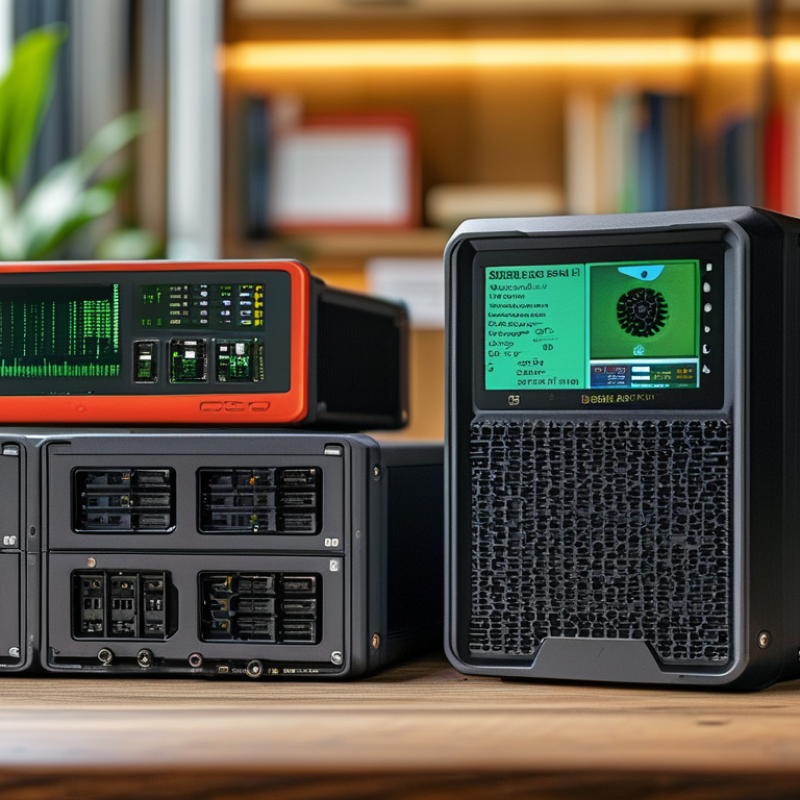
Understanding Multi-output Mini UPS and Its Importance
A multi-output mini UPS (Uninterruptible Power Supply) serves to protect critical electronic devices during power interruptions. Understanding its significance can help users make informed decisions. Data from the Global UPS Market Report indicates a steady growth in demand for UPS systems, projecting a compound annual growth rate (CAGR) of 7.6% from 2021 to 2028. Such statistics underscore the importance of reliable power solutions for homes and offices.
When choosing a mini UPS, consider the total wattage of the devices you intend to connect. A device with multi-output functions can support several electronics simultaneously. However, if you overload the unit, it may fail to provide the necessary backup, raising potential issues. Look for specifications that include surge protection features. A report from the Electric Power Research Institute shows that surges can damage sensitive equipment, making this aspect vital.
Tips: Always check the battery life. A longer-lasting battery can save on replacement costs. Moreover, ensure compatibility with your devices to avoid performance issues. Regular maintenance checks are essential; they can highlight potential weaknesses in your setup. Implementing these measures can help secure critical systems against unexpected outages.
Key Features to Look for in a Multi-output Mini UPS
When choosing a multi-output mini UPS, several critical features stand out. Battery capacity is essential; it determines how long your devices can run during a power outage. Experts suggest a capacity of at least 150Wh for most home use. This can support various electronics and smart devices without interruption.
Another key feature is the number of output ports. Ideally, you want a UPS with multiple ports, enabling you to power several devices simultaneously. According to industry standards, a good mini UPS should offer at least three AC outputs and two USB ports. This variety can accommodate a range of devices from routers to small appliances.
Also, consider the form factor and weight. A compact design is often preferred for home offices. However, a balance is needed between size and capacity. Reports indicate that the average mini UPS weighs around 5 to 10 pounds; lighter options may compromise battery life.
Look for models that include features for surge protection and voltage regulation. These factors enhance device safety and functionality. While these features may raise costs, they can save you from potential damages and loss of productivity over time.
Evaluating Power Requirements for Your Devices
When choosing a multi-output mini UPS, understanding your devices’ power requirements is essential. Start by identifying the total wattage needed to run all your devices. List each device and its power consumption. This information is often found on the product label. For example, a laptop might require 60 watts, while a modem may use about 10 watts. Add these together. This total will guide your UPS selection.
Consider the runtime you need as well. If your devices draw higher wattage, the UPS will drain faster. Reflect on your usage patterns. Do you need backup power for a few hours or just enough to save your work? It's often overlooked that the UPS should also be able to handle the inrush current when devices start up. Be mindful of peak usage moments; this can surprise you.
Explore the options available. Many mini UPS units come with multiple outputs. However, verify their compatibility with your devices. Not all outputs provide the same power levels. Think about future devices too. Will you add more equipment later? Evaluate your choices, and don’t rush your decision. A careful analysis now can prevent headaches later on.
How to Choose the Best Multi-output Mini UPS for Your Needs? - Evaluating Power Requirements for Your Devices
| Device Type | Power Requirement (W) | Battery Backup Time (hrs) | Output Ports | Features |
| Router | 10 | 8 | 1 | Surge Protection |
| Desktop Computer | 300 | 1 | 3 | LCD Display |
| Gaming Console | 200 | 2 | 2 | USB Charging Ports |
| Smartphone Charger | 5 | 12 | 1 | Compact Design |
| Switch | 100 | 4 | 2 | Overload Protection |
Comparing Brands and Models of Multi-output Mini UPS
When choosing a multi-output mini UPS, it's essential to understand the landscape of brands and models. The UPS market has grown significantly, with a projected compound annual growth rate (CAGR) of over 6% from 2021 to 2028. This growth indicates an increasing reliance on uninterrupted power supplies for both personal and professional use.
Different brands offer diverse features in their mini UPS models. Some focus on compact designs, while others emphasize extended battery life. According to recent surveys, consumers prioritize reliability and performance. A model with a battery lifespan of around 3-5 years is standard, but higher-end options may last longer. Additionally, output capacity can range widely, impacting how many devices you can connect.
It's essential to consider potential drawbacks. Some models can be difficult to set up or provide limited output ports. User reviews often highlight these issues. Reliability varies across brands, leading to inconsistent performance in power outages. It's wise to compare specifications thoroughly. Look for warranties and customer support options as indicators of brand trustworthiness.
Budget Considerations and Cost-Effectiveness in Selection
When selecting a multi-output mini UPS, budget considerations play a critical role. The initial cost may seem daunting. However, a well-chosen UPS can save you money long term by preventing damage to equipment. According to a recent report by Data Center Knowledge, businesses lose approximately $700 billion annually due to downtime. Investing in a reliable UPS minimizes this risk.
Cost-effectiveness should be evaluated from multiple angles. While cheaper options may be tempting, they often compromise quality. A report by MarketsandMarkets indicates that high-quality UPS systems can reduce overall maintenance costs by up to 30%. Therefore, it’s essential to weigh upfront costs against potential long-term savings. Understanding your specific power needs is vital in this decision. Overbuying capacity results in wasted funds, while underbuying could lead to failure during outages.
Take time to analyze your power requirements. A UPS that meets your needs without unnecessary extras is ideal. Many users underestimate battery life and output capacity, leading to frustration. Seeking advice from industry professionals can clarify confusing aspects. Reliable sources emphasize verifying warranty and service plans, as these factors influence long-term value. Adjusting expectations based on realities can prevent costly mistakes before they happen.